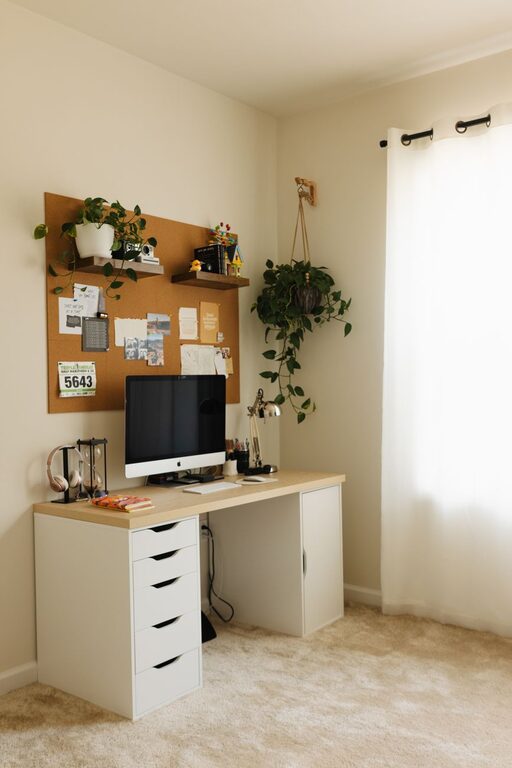

Creating a cozy and productive home workspace is essential for anyone working remotely or studying from home. When your workspace is comfortable and well-organized, it not only improves focus but also makes long hours more enjoyable. Here are some practical tips to help you set up an ideal home office environment.
Choose the Right Location
Find a Quiet Spot
Selecting a quiet area in your home is one of the first steps. Avoid high-traffic zones or noisy environments that can distract you. If space is limited, consider using noise-cancelling headphones or portable room dividers to create separation.
Maximize Natural Light
Natural light has been shown to improve mood and productivity. Try to position your desk near a window where you can enjoy daylight without glare. If natural light is scarce, use bright, warm artificial lighting that mimics daylight.
Invest in Comfortable Furniture
Ergonomic Chair
A good chair supports your back and promotes correct posture. Look for adjustable chairs with lumbar support to prevent discomfort during long work sessions.
Functional Desk
Choose a desk that suits your work needs — whether it’s a compact table or a larger workspace. A height-adjustable desk can allow you to alternate between sitting and standing, which benefits both comfort and health.
Organize Your Workspace Efficiently
Declutter Regularly
Keep only essential items on your desk to reduce distractions. Use organizers such as trays or drawer dividers to store supplies neatly.
Use Storage Solutions
Shelves, filing cabinets, or storage boxes help keep documents and equipment tidy. Labeling storage containers can make it easier to find items quickly.
Personalize Your Space
Add Cozy Elements
Include items that make you feel comfortable, such as a soft throw blanket, cushions, or a small indoor plant. Plants not only brighten your space but can also improve air quality.
Display Inspirational Items
Photos, artwork, or motivational quotes can keep your spirits up and remind you of your goals.
Optimize Technology Setup
Reliable Internet Connection
A stable, high-speed internet connection is vital for uninterrupted work. If possible, use a wired connection or position your router closer to your workspace.
Organize Cables
Tidy cables with clips or a cable management box to prevent clutter and accidents.
Use Essential Accessories
A quality keyboard, mouse, and monitor can reduce strain and increase efficiency. Consider investing in a monitor stand to keep the screen at eye level.
Establish Boundaries and Routine
Set Work Hours
Create a clear schedule and communicate it to household members. This helps minimize interruptions and fosters a work-life balance.
Take Regular Breaks
Step away from your desk every hour to stretch or walk around. This refreshes your mind and body, enhancing overall productivity.
Keep Your Workspace for Work Only
Avoid using your home office for leisure activities. This separation helps your brain associate the area with focus and work.
Maintain Cleanliness and Air Quality
Regular Cleaning
Dust and clean your workspace frequently to create a pleasant environment.
Ventilate the Room
Open windows or use air purifiers to keep the air fresh, which can enhance concentration and well-being.
Final Thoughts
Designing a cozy and productive home workspace is about balancing comfort with function. By picking the right location, investing in ergonomic furniture, organizing efficiently, and personalizing your area, you can create an environment that supports your best work. Remember to maintain your setup and update it as your needs evolve to keep your home workspace inviting and effective.
About the Author